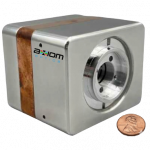
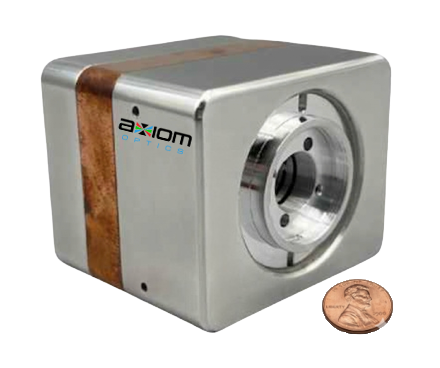
torricam vacuum cmos camera
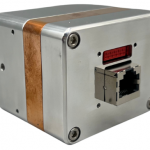
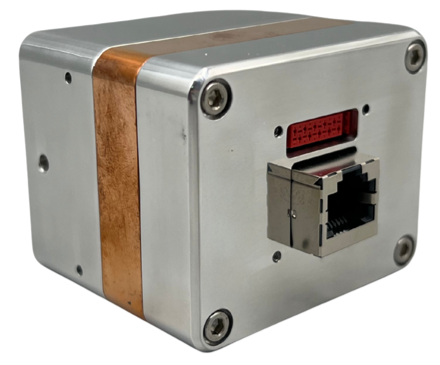
back of torricam in situ vacuum camera
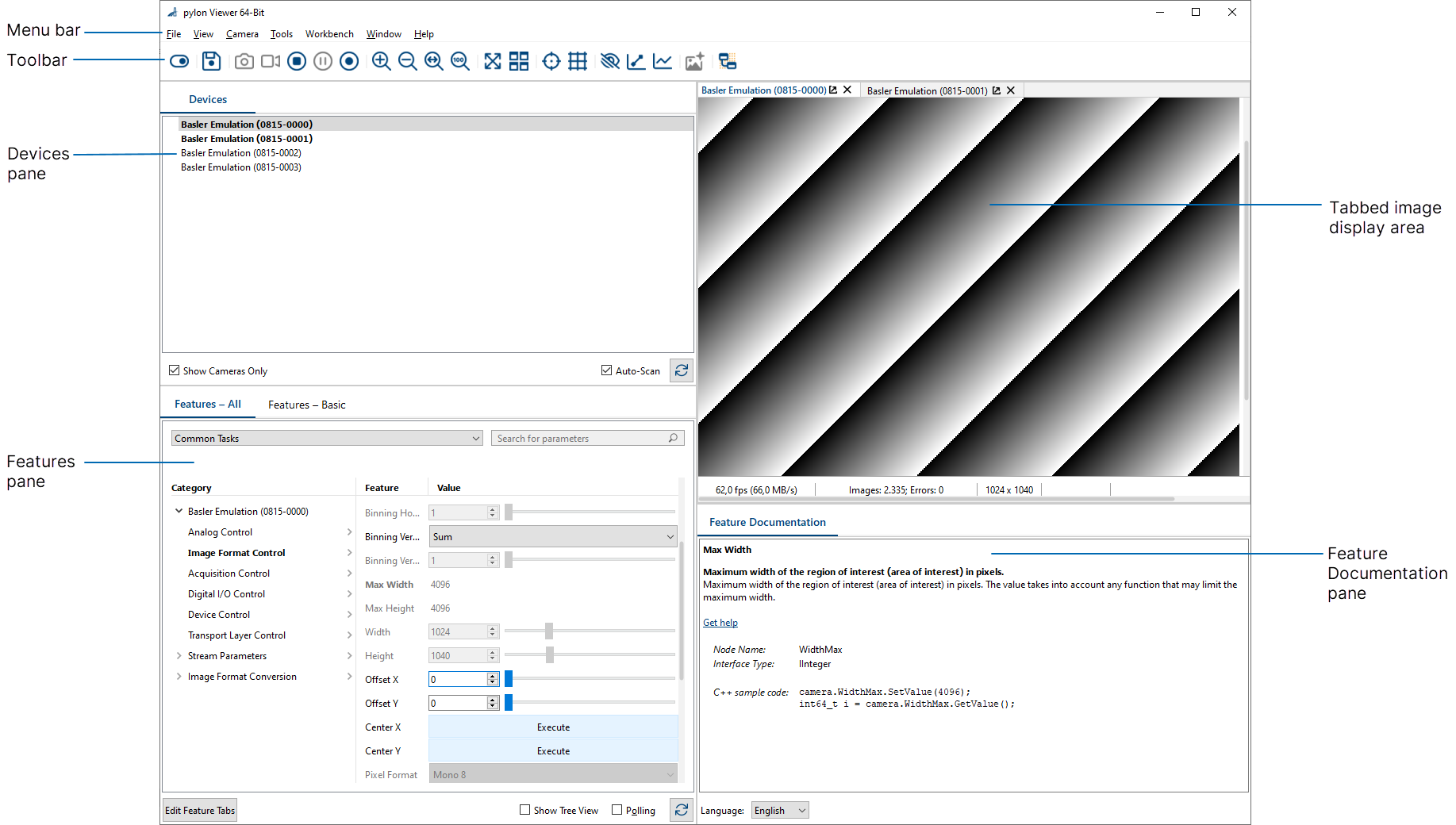
pylon viewer software for Torricam

TorriCam | Cost-Effective In Situ Vacuum CMOS

Spectral Bandwidth

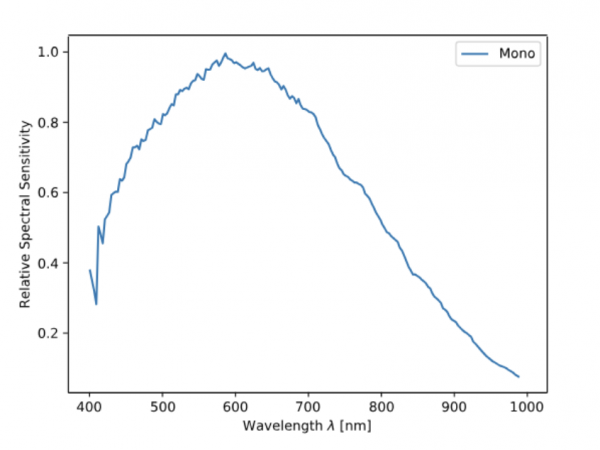
450nm - 1100nm

Array

1887 x 1179 pixels

Pixel Size

3.45 µm

Sensor

2.2MP monochrome CMOS

Communication Protocol

GigE

Shutter

Global

European Availability

Available WORLDWIDE

TorriCam In-Situ Vacuum CMOS Camera

A cost-effective camera to monitor equipment and processes inside a vacuum chamber. The TorriCam captures 2.2MP images at rates up to 56 Hz in pressures as low as 10⁻⁶ mbar. High-quality video and still images from inside your chamber are ideal for monitoring systems, whether the application is in a factory on earth or is heading into space. This solid-body CMOS camera features excellent thermal extraction, a compact form-factor and simplified implementation with a single GigE connection and PoE.

Features & Benefits

  •  Vacuum Compatible Down to 10⁻⁶ mbar
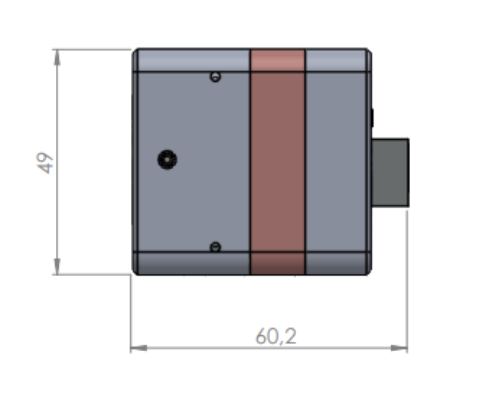
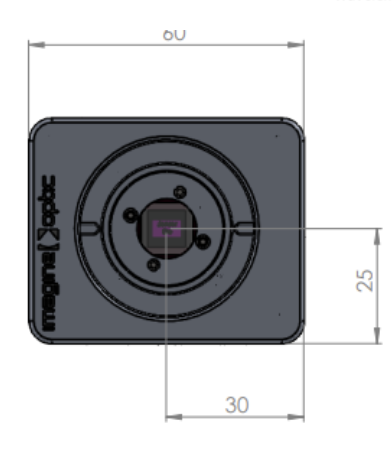
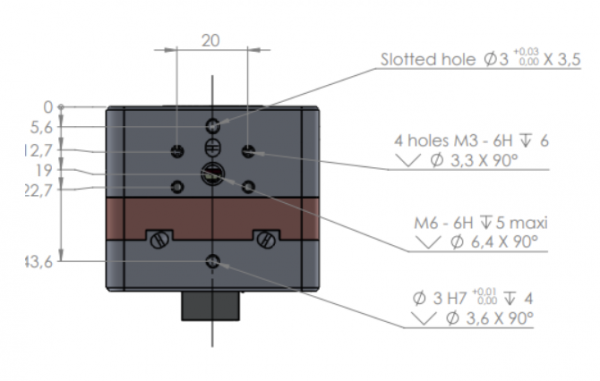
  • Compact Form factor: Frame 60 x 50 x 60 mm
  • Frame Rates up to 56 Hz
  • Less than 6W power draw
  • Single GigE connection for I/O & power with cable length up to 20m.
  • PoE, Vacuum-ready, GigE cable included
  • C-mount lens connection
  • 2.2MP with 3.45 μm pixels
  • 450nm – 1100nm with peak QE <62%
  • Optimized thermal extraction
  • Easy Connection (up to 20m)

Easy-to-use

The TorriCam runs off the Basler pylon software. This well-vetted, reliable software package is readily available for free download off the internet. The pylon Viewer is the central tool for setting up the camera and provides tools to optimize the connectivity. It provides a rich set of functions, such as Vignetting Correction, Sharpness Indicator, Bandwidth Manager and many more. Lots of online help documentation and coding examples are also available.
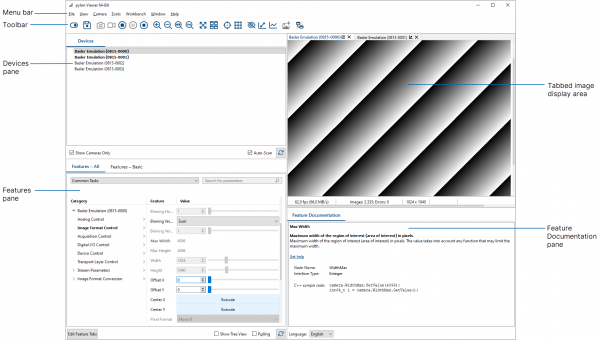
pylon viewer software for Torricam

Download the FREE software here.

TorriCam In-Situ Vacuum CMOS Camera

A cost-effective camera to monitor equipment and processes inside a vacuum chamber. The TorriCam vacuum CMOS camera captures 2.2MP images at rates up to 56 Hz in pressures as low as 10⁻⁶ mbar. High-quality video and still images from inside your chamber are ideal for monitoring systems, whether the application is in a factory on earth or is heading into space. This solid-body CMOS camera features excellent thermal extraction, a compact form-factor and simplified implementation with a single GigE connection and PoE.

Features & Benefits

  •  Vacuum Compatible Down to 10⁻⁶ mbar
  • Compact Form factor: Frame 60 x 50 x 60 mm
  • Frame Rates up to 56 Hz
  • Less than 6W power draw
  • Single GigE connection for I/O & power with cable length up to 20m.
  • PoE, Vacuum-ready, GigE cable included”
  • C-mount lens connection
  • 2.2MP with 3.45 μm pixels
  • 450nm – 1100nm with peak QE <62%
  • Optimized thermal extraction
  • Easy Connection (up to 20m)

Easy-to-use

The TorriCam vacuum CMOS camera runs off the Basler pylon software. This well-vetted, reliable software package is readily available for free download off the internet. The pylon Viewer is the central tool for setting up the camera and provides tools to optimize the connectivity. It provides a rich set of functions, such as Vignetting Correction, Sharpness Indicator, Bandwidth Manager and many more. Lots of online help documentation and coding examples are also available.
pylon viewer software for Torricam

Download the FREE software here.

Vacuum CMOS Camera Applications

  • Scientific Research 
    • Monitor your experiments from inside vacuum chambers.
  • Machine Vision / Industrial Process Monitoring
    • Monitor your process from all angles and don’t miss a thing
  • Semiconductor and Electronics Manufacturing’ 
    • Improve your QC by monitoring the fabrication processes inside the vacuum chambers. 
  • Aerospace 
    • See everything that is happening when testing components for the vacuum of space
  • torricam vacuum cmos camera bottom technical drawing Torricam vacuum cmos camera side view technical drawing Torricam front view technical drawing

Contact Us

No Fields Found.

Tech Support

Contact Us

Scroll to Top