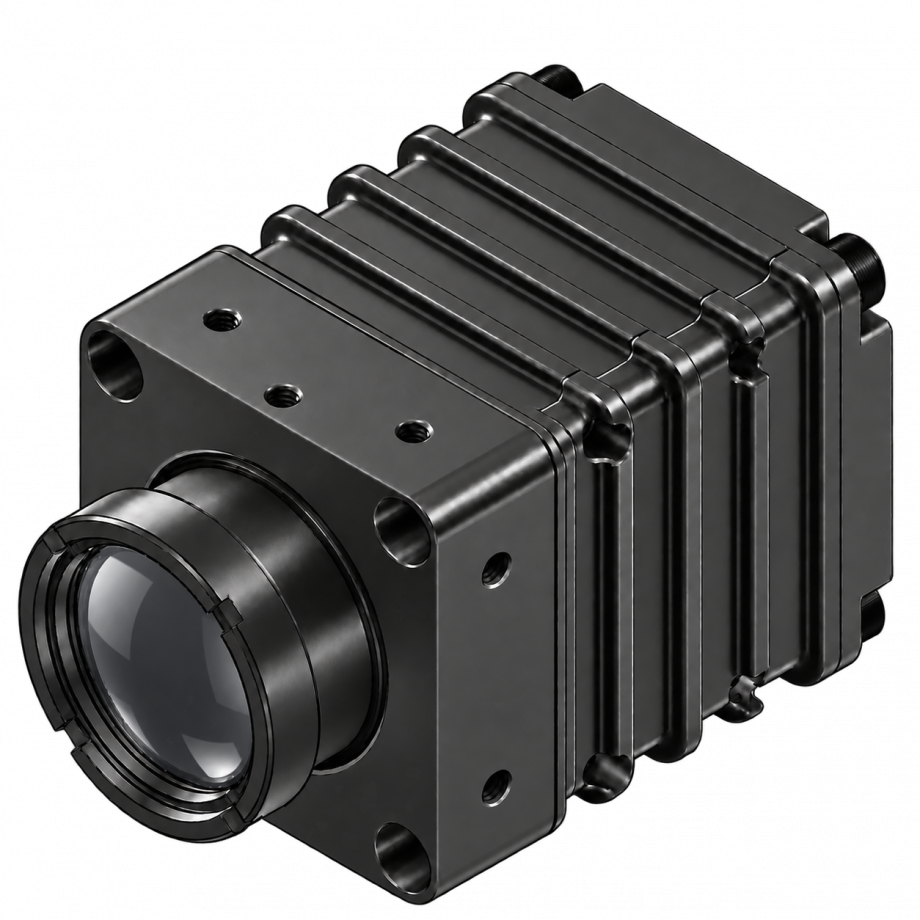
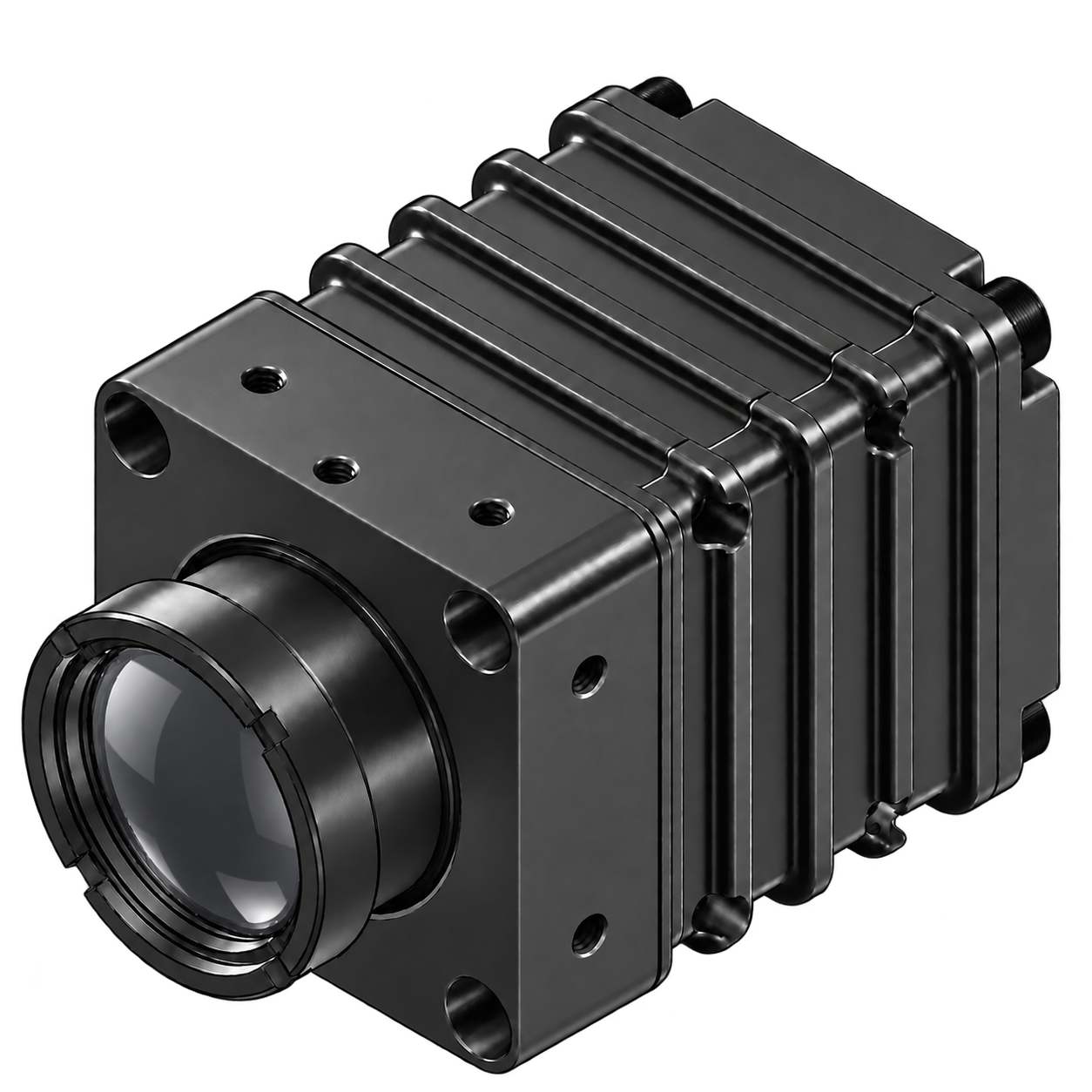
OGICam 640 | Uncooled OGI Camera by Axiom Optics
Primary gas target
Methane (CH₄); optical gas imaging with a 7.0–8.75 µm filter
Resolution and frame rate
640 × 480 active pixels · 17 µm pitch · 60 fps
USB 3.0 interface
Single cable for UVC video, CDC camera control and 5 V power
19 mm f/1.0 optics
32.0° × 24.2° field of view · 0.895 mrad IFOV
IR-Vista software and SDK
Windows x64, macOS Apple silicon and Linux ARM64 · C, C++ and Python APIs
Corrected-image output
Not calibrated; no gas concentration measurement or calculation (ppm·m)
 Description
 Specifications
 QE Curve
 Videos
 Software
OGI camera comparison: image with and without OGI processing
OGI camera video example
Example OGICam 640 recording displayed with IR-Vista OGI visualization. The colored overlay highlights image activity while retaining grayscale scene context.
Illustrative visualization only; overlay colors do not represent gas concentration.
OGICam 640 OGI camera for methane plume visualization
The Axiom OGICam 640 is an uncooled OGI camera for optical gas imaging and gas-leak visualization, with methane (CH4) as its primary gas target. Its 640 × 480 active array, 17 µm pixel pitch and 60 fps output combine a compact LWIR imaging platform with a single-cable USB 3.0 connection.
The current 7.0–8.75 µm filter selects a spectral window around methane absorption. IR-Vista provides camera control, corrected-image display, recording and analysis, with a separately installed optional OGI module for plume visualization.
How does an OGI camera make methane visible?
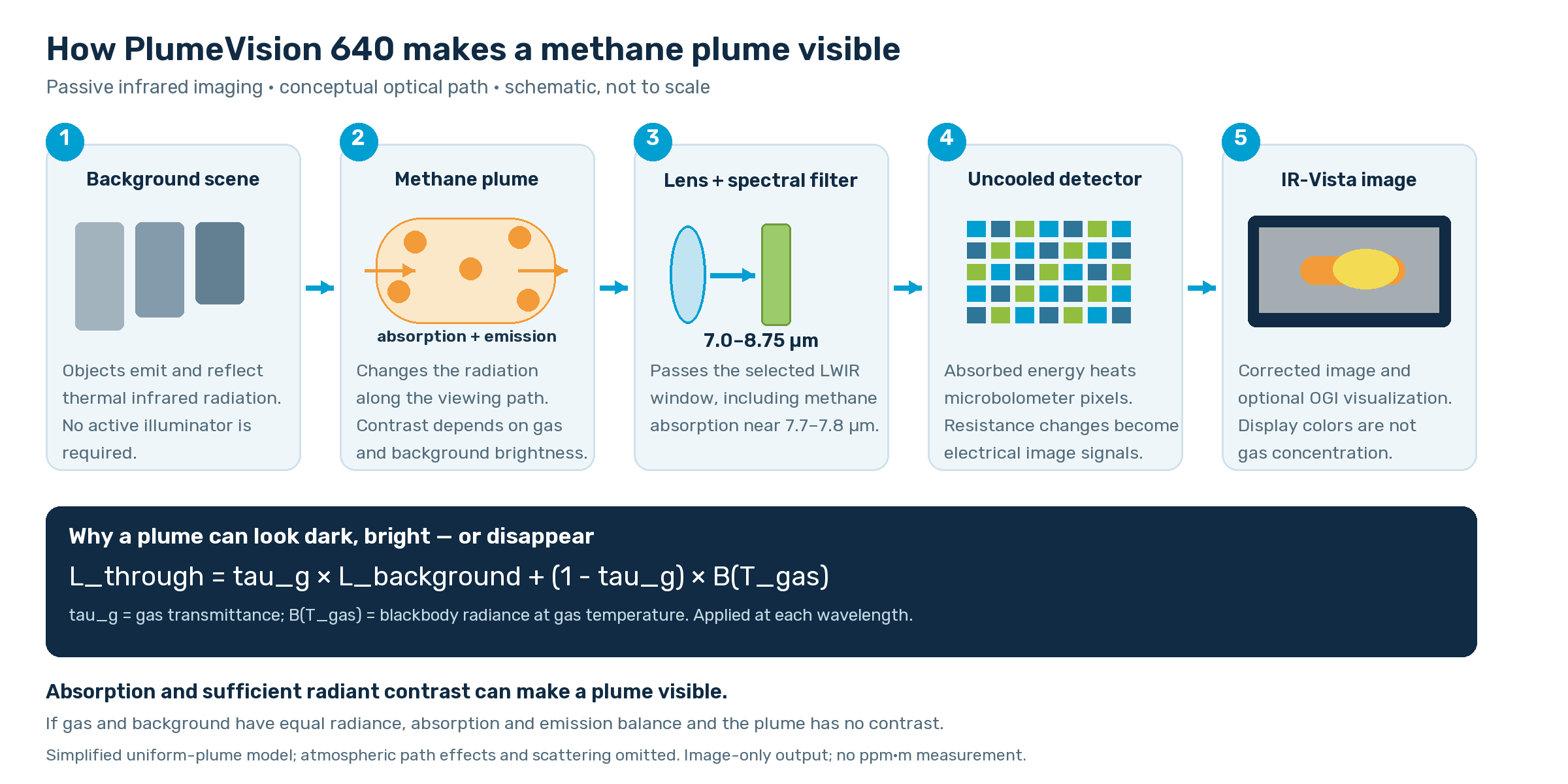
OGICam 640 uses passive optical gas imaging: it observes infrared energy already present in the scene, without illuminating the plume with a laser. Methane can be transparent to the human eye yet change the thermal infrared radiation reaching the camera.
Methane absorption in the LWIR window
Molecules exchange energy with infrared light through allowed vibrational and rotational transitions. Methane has an absorption band near 7.7–7.8 µm. OGICam 640 combines its LWIR detector with a 7.0–8.75 µm filter that includes this band. The filter selects wavelengths where methane can affect the signal; it does not make every gas visible or uniquely identify methane.
The radiation balance behind methane imaging
A gas plume both absorbs background radiation and emits its own infrared radiation. For an idealized uniform plume, neglecting scattering and the atmosphere between plume and camera, the spectral radiance reaching the camera is:
Lthrough(λ) = τg(λ)Lbackground(λ) + [1 − τg(λ)]Bλ(Tgas)
Here, τg is gas transmittance and Bλ(Tgas) is blackbody radiance at gas temperature. The image contrast relative to a clear view of the same background is proportional to [1 − τg] × [Bλ(Tgas) − Lbackground]. A cooler-looking plume against a brighter background lowers the signal; a warmer-looking plume against a darker background raises it. When the two radiances match, absorption and emission balance and the plume can disappear.
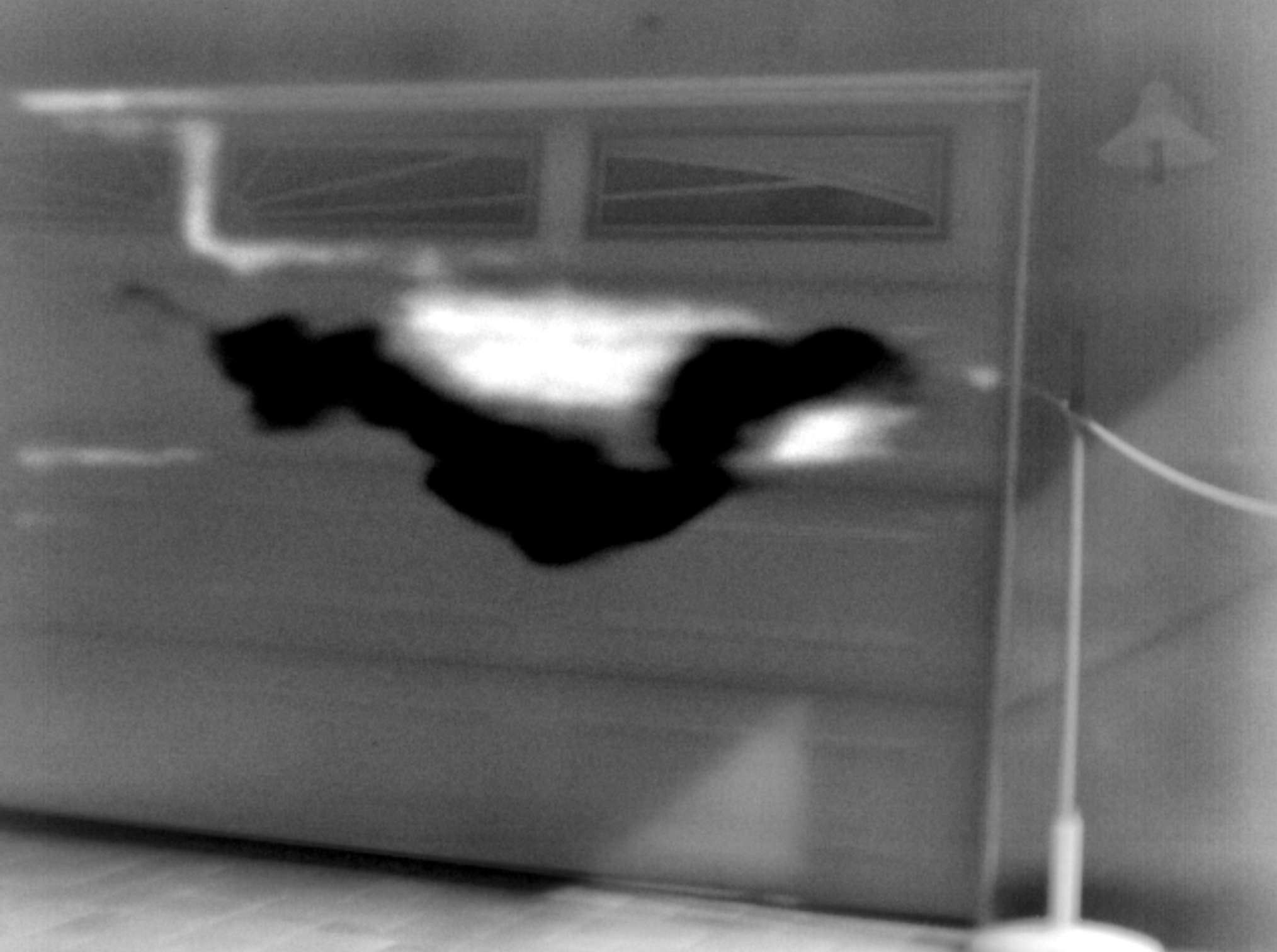
OGI plume polarity: bright and dark responses
The example below shows plume-related activity with both bright and dark responses against grayscale scene context. In a signed OGI view, these tones distinguish opposite response polarities. Their interpretation depends on the scene, reference and selected display view; they should not be read directly as gas temperature or concentration.
Absorption strength and the gas viewing path
The Beer–Lambert relation describes transmission as τg(λ) = exp[−k(λ)cℓ], where k is an absorption coefficient, c is gas concentration and ℓ is the path length through the plume, using consistent units. Longer paths or more gas generally increase absorption until strong spectral features saturate. This explains the physics; OGICam 640 does not invert this relation to calculate concentration or ppm·m.
From infrared energy to an uncooled OGI camera image
The lens forms an image on the microbolometer array. Absorbed infrared power produces a small temperature change in each thermally isolated pixel, changing its electrical resistance. The readout electronics convert these changes into image signals without a cryogenic cooler. The detector integrates radiation across the transmitted band, weighted by the lens, filter and detector response; it does not resolve an absorption spectrum at each pixel.
Shuttered correction and bad-pixel replacement improve image uniformity. IR-Vista provides display mapping and optional OGI views to examine plume activity. These operations affect presentation, not the molecular absorption physics.
What determines OGI camera plume visibility?
Gas-to-background radiant contrast is critical. Background emissivity and reflected surroundings matter as well as physical temperature. Wind can disperse a plume and shorten its gas path; distance, focus and pixel coverage affect spatial detail. Humidity, atmospheric absorption, scene motion and detector noise can also affect visibility. Weak physical contrast cannot be guaranteed by changing a color palette or processing mode.
This is image-based visualization. A colored overlay is not a gas-species identification, concentration map, leak-rate measurement or calibrated temperature map. The camera is not calibrated and provides corrected-image output; it does not calculate or measure gas concentrations in ppm·m.
Physics references
USB 3.0 OGI camera for uncooled LWIR imaging
A VOx microbolometer operates without a cryogenic cooler. USB 3.0 UVC video and USB CDC virtual COM control share one cable, and the camera uses a 5 V USB-powered architecture. The specified time to image is under 2 seconds at board level.
The camera has a built-in mechanical shutter that provides a uniform reference for shuttered one-point non-uniformity correction (NUC) / flat-field correction (FFC), helping correct pixel-to-pixel offset differences and improve image uniformity. On-camera processing also includes automatic gain control (AGC) and bad-pixel replacement.
Methane imaging camera and potential gas targets
Methane is the primary target for this OGI camera. With the current filter, other potential gases include nitrous oxide (N2O), propane (C3H8), sulfur dioxide (SO2), R-134a. Potential targets require application-specific validation; visibility depends on the gas, plume conditions and thermal contrast with the background.
OGI camera output and calibration
The camera is not calibrated. Gas concentrations are neither calculated nor measured (ppm·m). The only output provided is the corrected image. OGICam 640 is intended for gas visualization rather than quantitative concentration measurement.
OGI camera optics and spectral response
The standard 19 mm f/1.0 athermalized lens provides a nominal 32.0° horizontal × 24.2° vertical field of view, a 39.4° diagonal field and 0.895 mrad IFOV. The lens uses an M25 × 0.5 mount. IP67 applies to the lens only. Other lens options and custom filters are available on request.
The detector response spans 6.5–14 µm; the current filtered system window is 7.0–8.75 µm. Reference filtered NETD is approximately 85 mK, compared with a detector baseline below 30 mK. These thermal-noise figures are not gas-concentration detection limits.
Relative spectral response
The current 7.0–8.75 µm filter selects a methane-sensitive LWIR window. The graphs below show the detector, filter and optics response and their combined relative response.
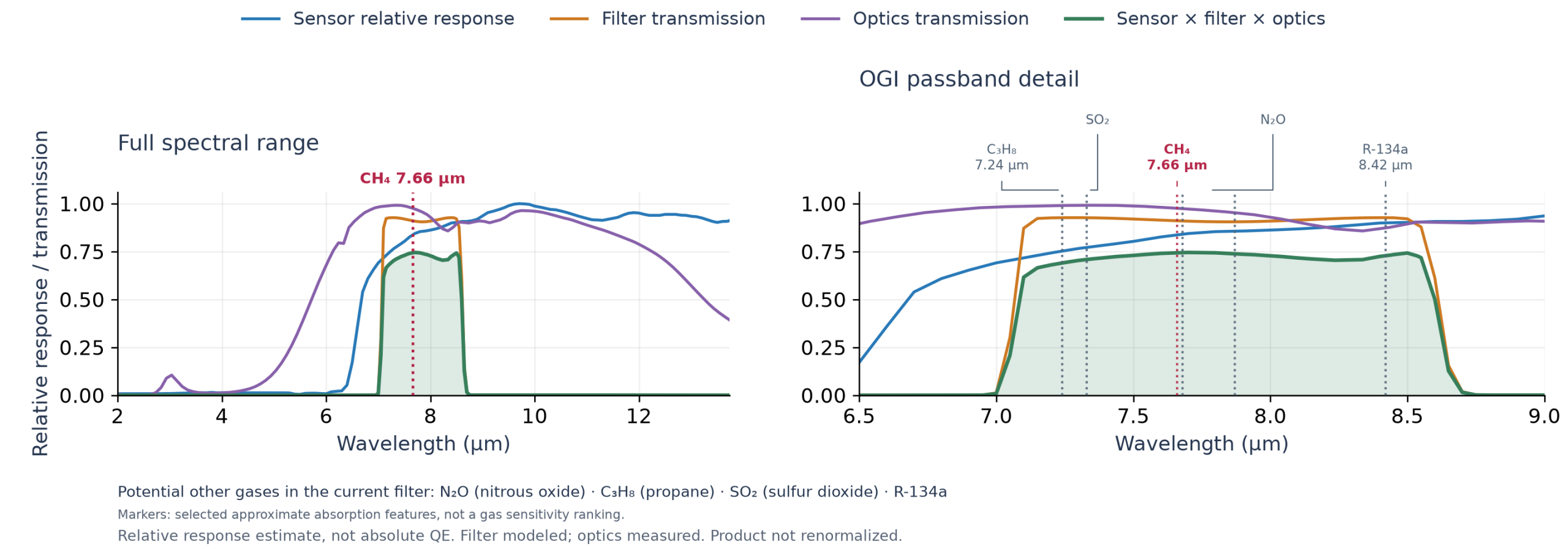
Relative response estimate, not absolute quantum efficiency (QE). Filter modeled; optics measured. The sensor × filter × optics product is not renormalized.
OGI camera software and SDK: IR-Vista
Use IR-Vista to control camera settings, display and record images, browse raw .bin recordings, inspect ROI statistics, line profiles and histograms, and export trimmed, processed MP4 video. The optional OGI module adds differential and context-blend views, plus Method 1 and Method 2 confidence overlays.
Supported package architectures are Windows x64, macOS on Apple silicon, and Linux ARM64. SDK APIs are available for C, C++ and Python. Live acquisition is licensed. Offline .bin review and installed OGI processing require no license.
OGI camera integration and ordering
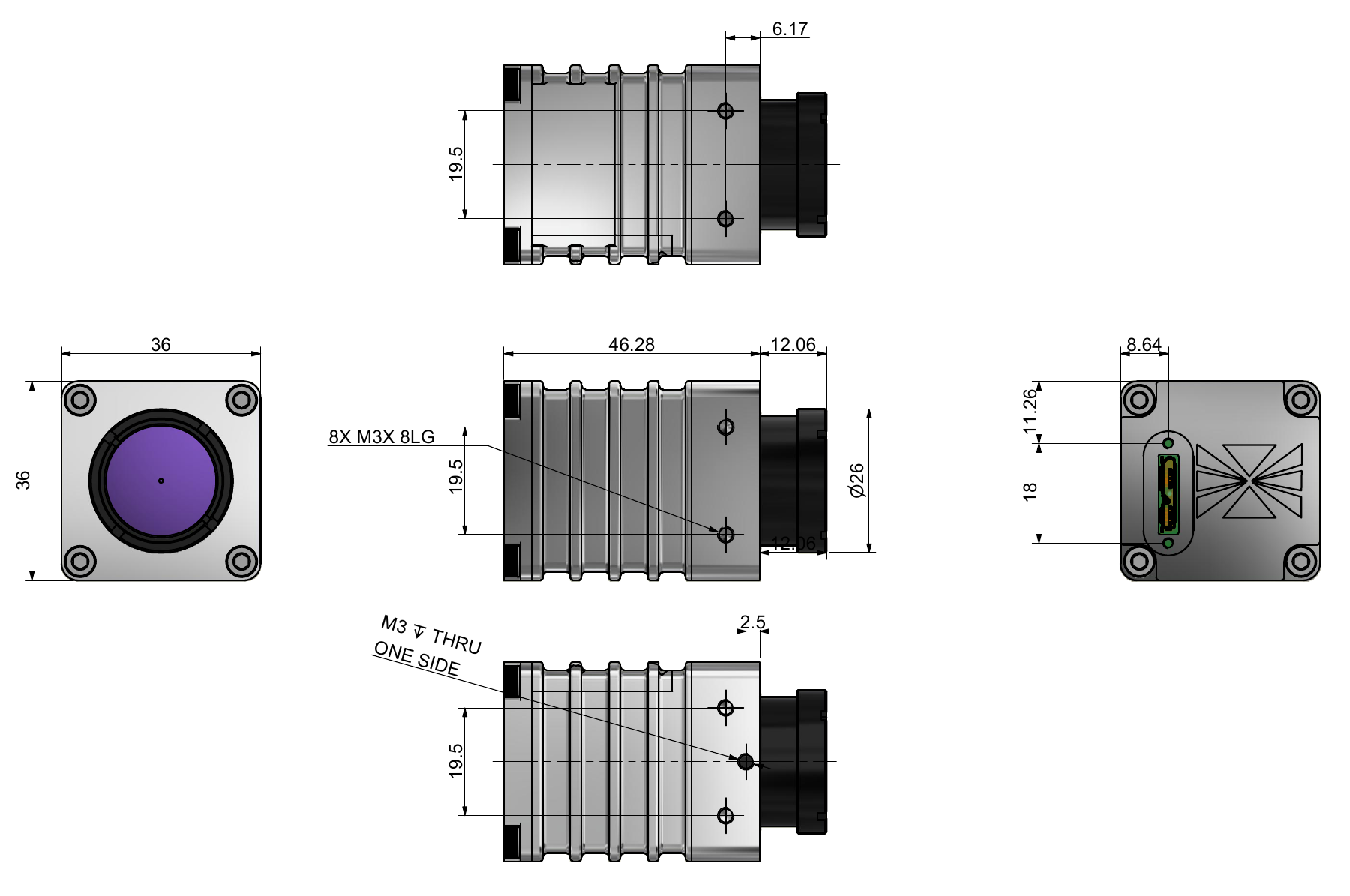
The housing envelope is 36 × 36 × 46.28 mm for the body, or 58.34 mm total length including the lens, excluding the cable. The Drawings tab provides five dimensioned orthographic views. Dimensions are in millimeters and the illustration is not to scale.
Ordering part number: AX-0IR-OGI-U3-F1-32
ECCN: 6A003.b.4.a (dual-use)
An end-user certificate is required before shipping. Specifications are subject to change.
OGI camera questions
What is an OGI camera?
An optical gas imaging camera visualizes infrared contrast associated with gases that absorb within its spectral window. OGICam 640 uses an uncooled LWIR detector and a 7.0–8.75 µm filter, with methane as its primary target.
Does this OGI camera measure methane concentration?
No. The camera is not calibrated and does not calculate or measure gas concentrations in ppm·m. Its output is the corrected image.
Which platforms does the OGI camera SDK support?
IR-Vista supports Windows x64, macOS on Apple silicon and Linux ARM64. SDK interfaces are available in C, C++ and Python.
Can I review OGI camera recordings without a license?
Yes. Offline .bin review and installed OGI processing require no license. Live camera acquisition requires a license.
Relative spectral response
The current 7.0–8.75 µm filter selects a methane-sensitive LWIR window. The graphs below show the detector, filter and optics response and their combined relative response.
Relative response estimate, not absolute quantum efficiency (QE). Filter modeled; optics measured. The sensor × filter × optics product is not renormalized.
IR-Vista software for optical gas imaging
IR-Vista is Axiom Optics’ common software platform for infrared camera acquisition, processing and analysis. Use it with OGICam 640 to control camera settings, display and record corrected images, and inspect recorded scenes.
- OGI visualization: separately installed optional OGI module with differential and context-blend views, Method 1 and Method 2 confidence overlays.
- Replay and analysis: browse raw .bin recordings and inspect ROI statistics, line profiles and histograms.
- Capture and export: record raw frames and export trimmed, processed MP4 video.
Operating system compatibility and SDK APIs
| Operating system | Architecture | SDK APIs |
|---|---|---|
| Windows | x64 | C · C++ · Python |
| macOS | Apple silicon | C · C++ · Python |
| Linux | ARM64 | C · C++ · Python |
Live acquisition is licensed. Offline .bin review and installed OGI processing require no license.
The camera is not calibrated. No gas concentrations are calculated or measured (ppm·m); the only output provided is the corrected image.
OGI module display modes
- High-Contrast Differential: emphasizes changing infrared contrast to make plume movement easier to inspect.
- Context Blend: combines enhanced plume contrast with the underlying scene so the operator can relate activity to equipment and surroundings. Balanced and Strong views are available.
- Method 1: offers plume-focused visualization with a choice of black/white, red or Inferno display while retaining scene context.
- Method 2: highlights candidate plume activity with a red overlay on the grayscale scene.
These are visualization modes. Overlays can also respond to moving objects or changing backgrounds; their colors do not represent gas concentration, gas identity or calibrated temperature.
Examples of OGI analysis in IR-Vista
- Locate and review plume activity: record a scene as a raw .bin file, open it from Replay, and compare the corrected image with the optional OGI views. Pause and step through the sequence to relate visible activity to its apparent source.
- Inspect a region of interest: draw a rectangular or elliptical ROI and review its minimum, maximum, mean, standard deviation and histogram. On corrected images these are image-signal statistics in DN (digital numbers), not ppm or ppm·m.
- Inspect contrast across a plume: draw a Line Profile to examine image signal versus distance in pixels. Use it to compare plume and nearby background contrast under the same display and processing settings.
- Document an observation: select the relevant interval with Trim / Export and export a processed MP4 showing the chosen OGI view for review and reporting.
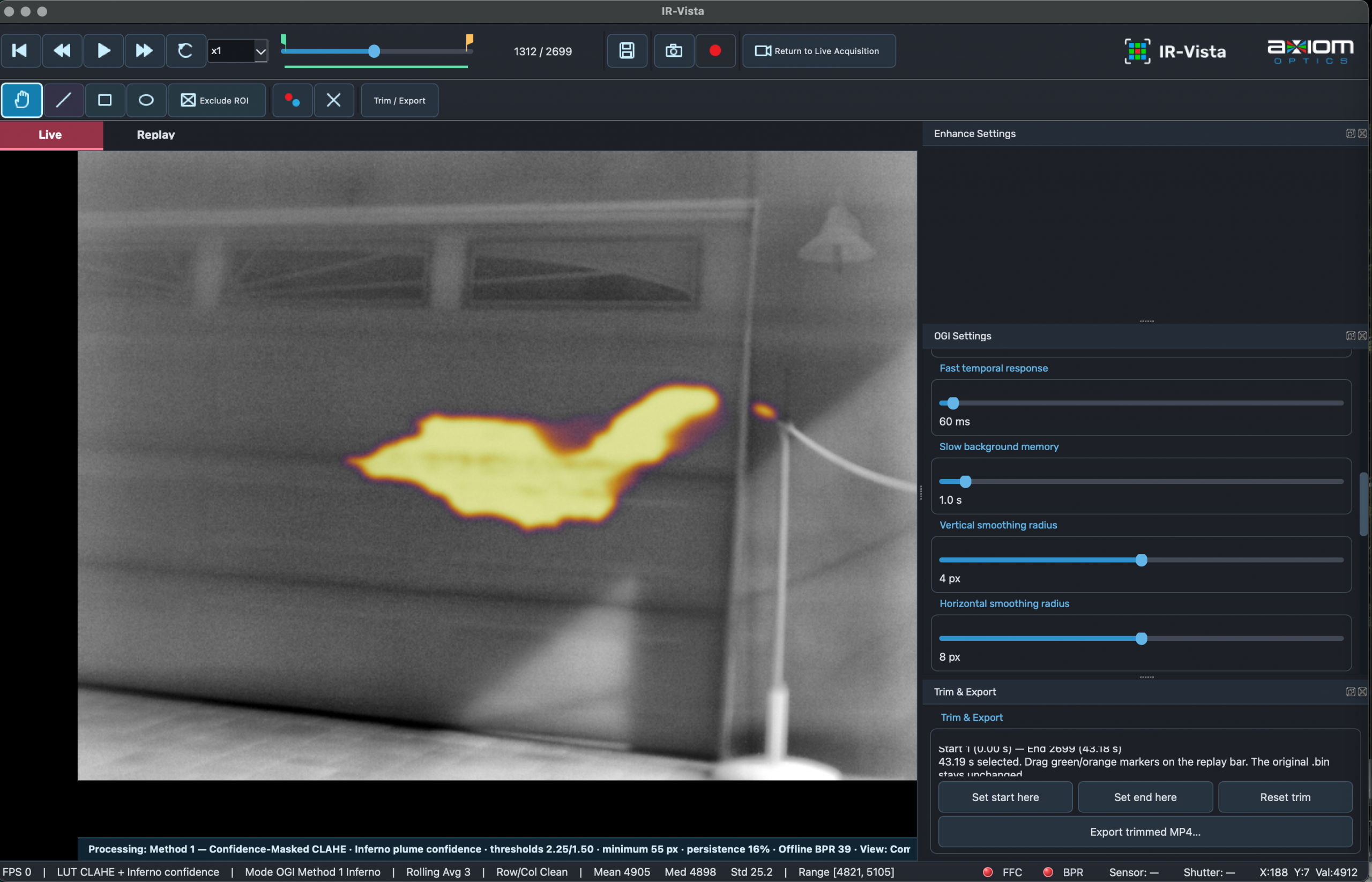
Offline replay and recording browser
Browse saved .bin recordings in Replay with first, middle and last scene previews. Sort recordings by date and time, filter by filename, inspect metadata and double-click a recording to open it for offline review. The browser also provides folder creation and Move to Trash controls.
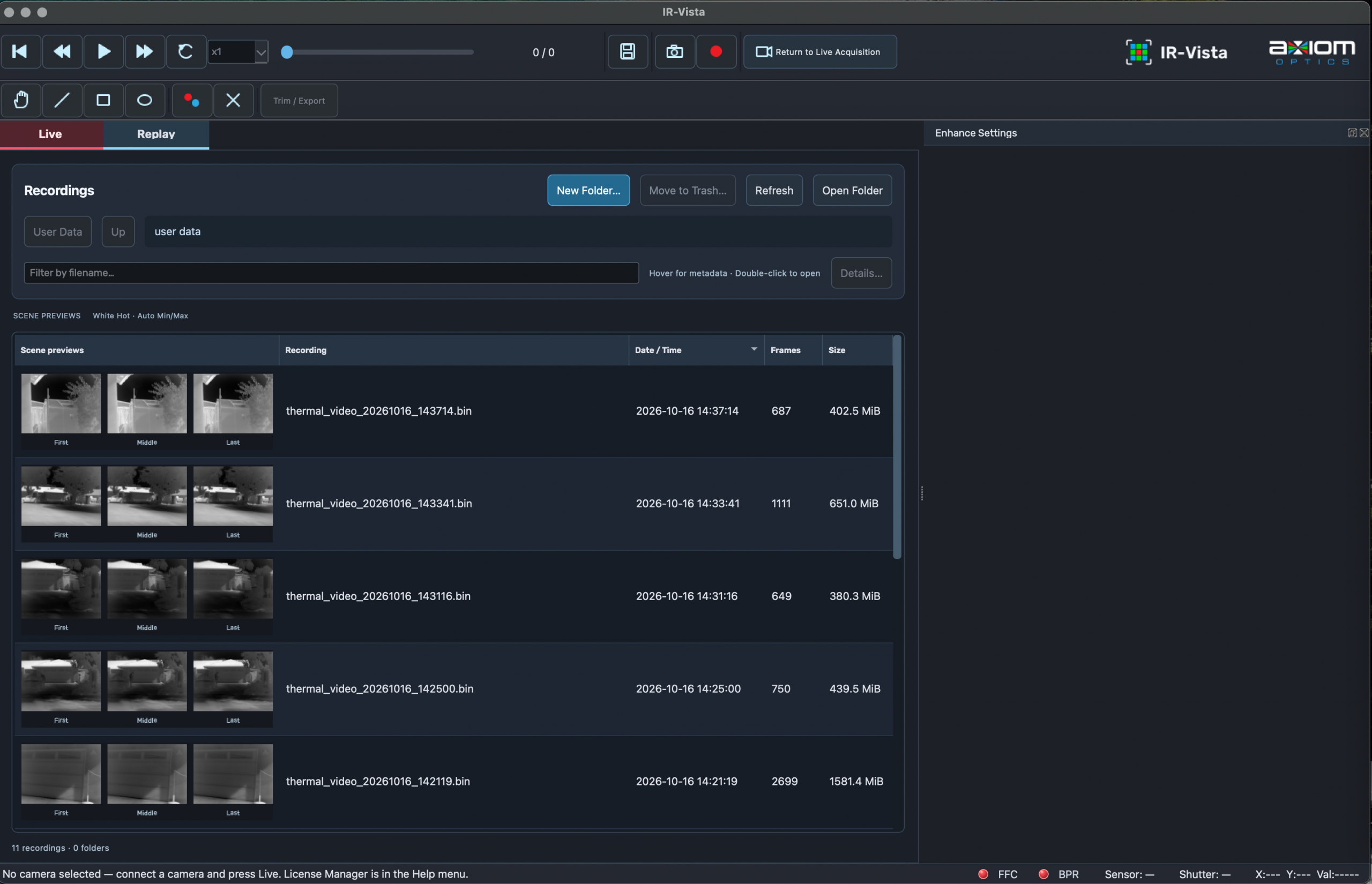
OGICam 640 mechanical outline
Housing envelope: 36 × 36 × 46.28 mm for the body, or 58.34 mm total length including the lens, excluding the cable. Five orthographic views are provided below. Dimensions are in millimeters; the drawing is not to scale.