
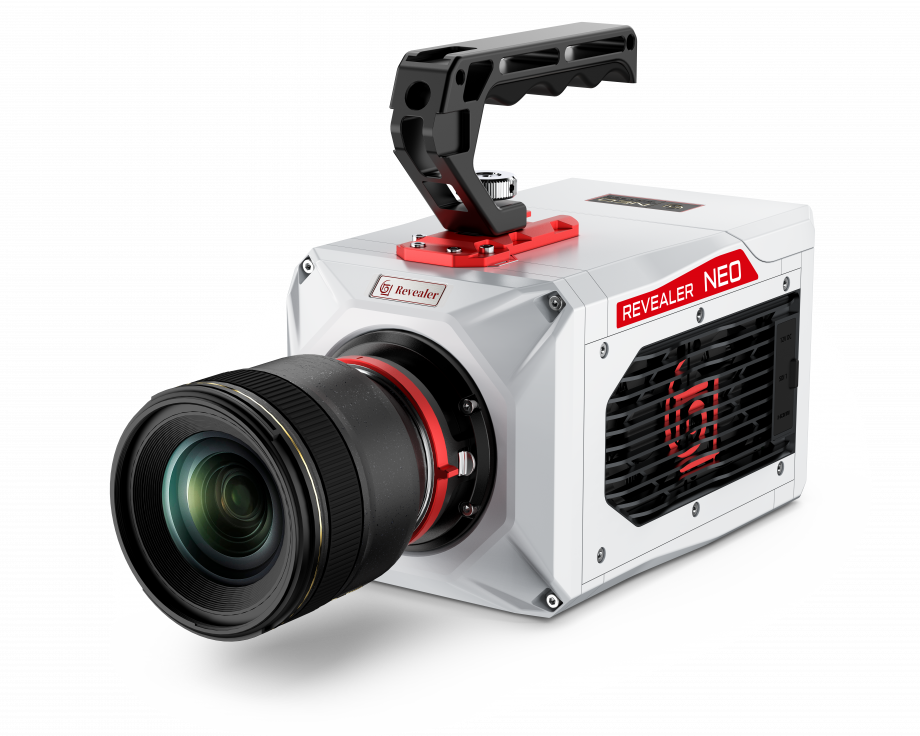
Revealer | High Sensitivity Ultra-High-Speed NEO Series
Sensor Type
BSI CMOS
Max Resolution
1280 X 1024
Max Frame Rate
1,000,000 fps at reduced resolution
Pixel Size
20μm × 20μm
Onboard Memory / Storage
160 GB / 320 GB RAM
Primary Interface
10Gb Ethernet, SDI/HDMI
 Description
 Specifications
 QE Curve
 Applications
 Downloads
NEO Series High-Sensitivity Ultra-High-Speed Cameras: 25,000 fps at 1280 × 1024
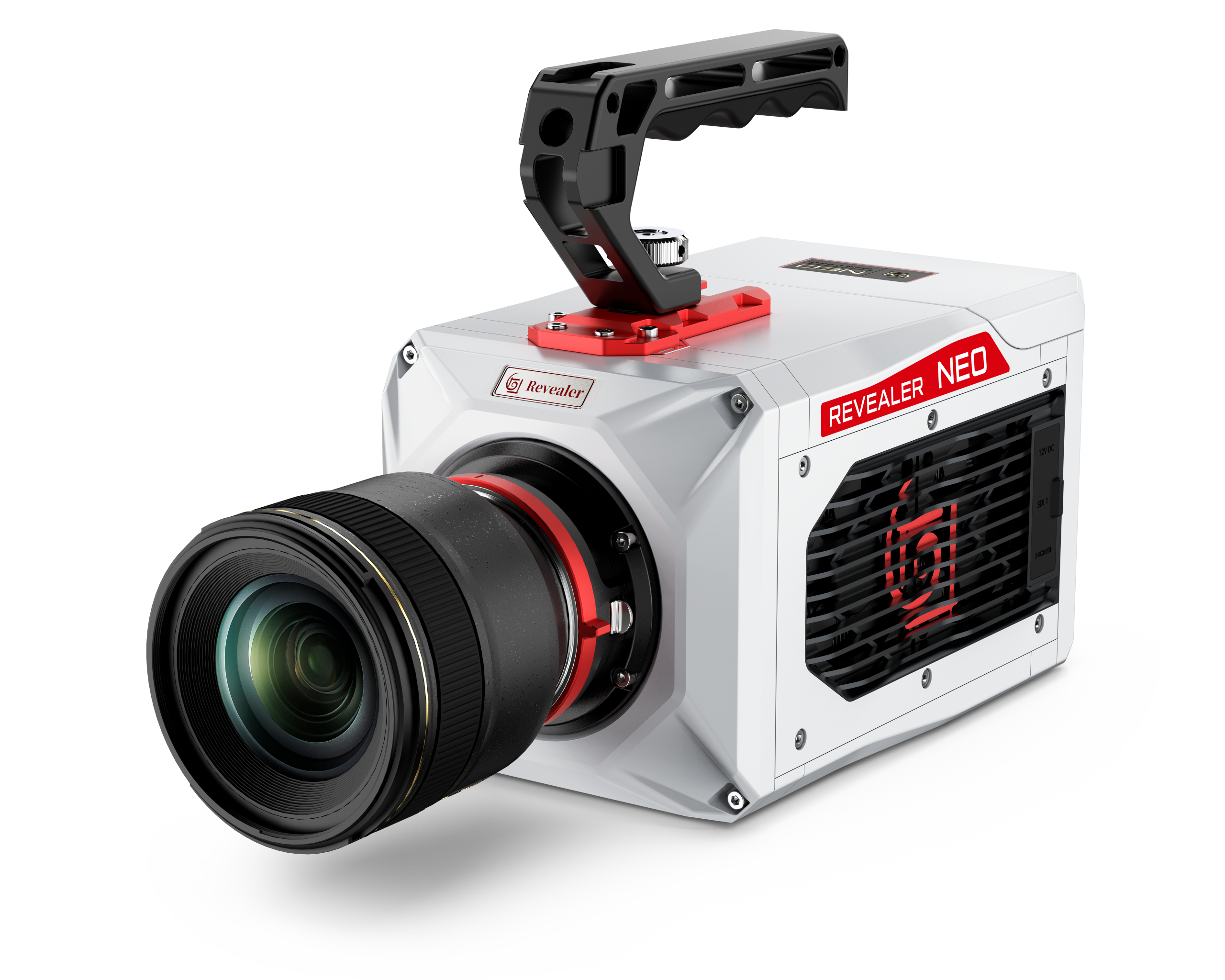
The NEO Series high-speed cameras use a new-generation back-side illuminated (BSI) CMOS sensor designed to maximize photon capture efficiency for transient image acquisition under extremely short exposure times. Supporting frame rates up to 25,000 fps at full 1280 × 1024 resolution and up to 1,000,000 fps at reduced resolution (1280 × 16), the NEO Series sets a high standard for speed and sensitivity.
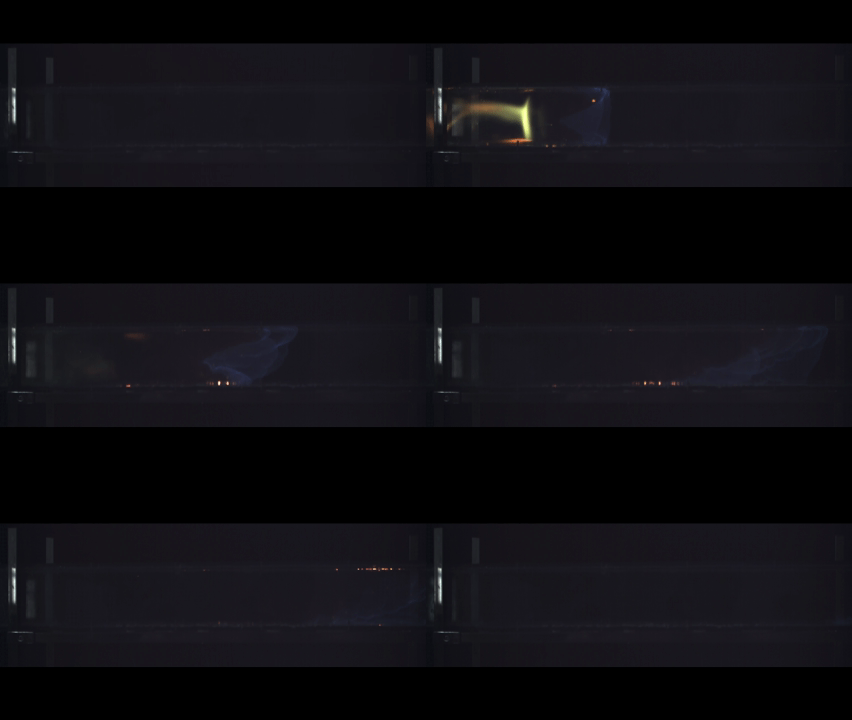
It is ideal for research in extreme combustion, high-speed aerodynamics, mechanics, impact analysis, high-frequency vibration analysis and more. Three models share the same sensor and body: the NEO 25 (25,000 fps), NEO 20 (20,000 fps) and NEO 16 (16,000 fps) at full resolution.
Key Advantages
- Up to 1,000,000 fps at 1280 × 16 region of interest: trade image height for faster temporal sampling
- BSI CMOS sensor with 20 × 20 µm pixels, a global shutter and a manufacturer-stated 85% peak quantum efficiency
- Flexible memory configurations: 160 GB or 320 GB of high-speed RAM
- PIV capability: 250 ns straddle time for fluid dynamics and particle tracking
- Robust and weather-resistant: IP64 protection standard, with shock (30 Grms) and transport vibration resistance
- High-speed interface: 10 Gb Ethernet, SDI/HDMI video outputs and IRIG-B timing input
A Rugged Build Designed for the Most Demanding Applications
The NEO Series is built with hardware and embedded systems specifically designed for field deployment and environments with electromagnetic interference, giving it high adaptability across lab, test-range and industrial settings.
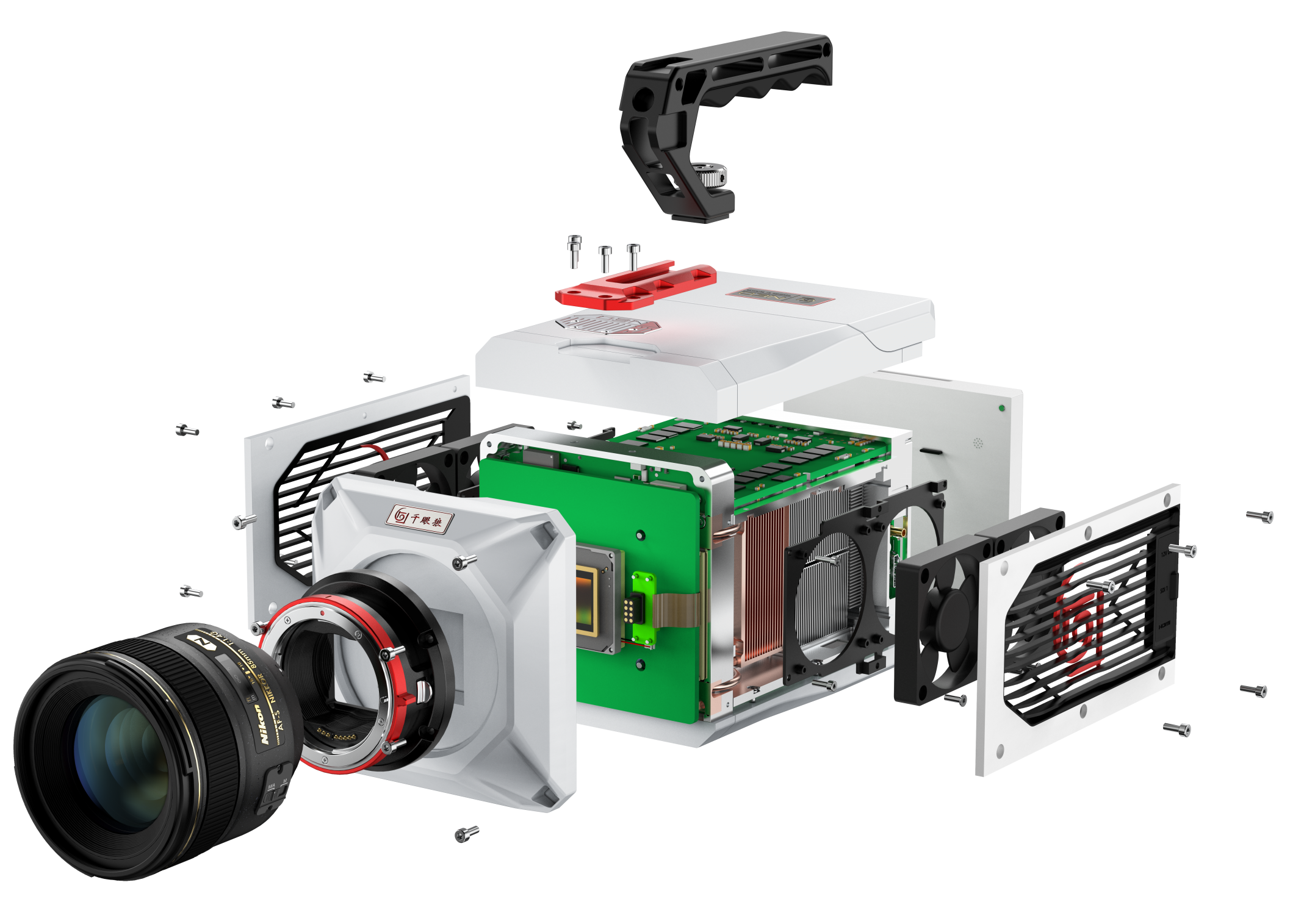
- Fully sealed circuit design
- Aviation aluminum body
- IP64 protection and EMC protection
- Heat dissipation chamber with integrated split design
- Operating range −10 to 50 °C, with a −35 to 60 °C wide-temperature option
Capture the Sequence, Not Just the Aftermath
At full resolution, 25,000 fps corresponds to 40 µs between frames. The maximum ROI rate reduces that interval to 1 µs, but captures only 16 rows. Choose full-frame operation when the event spans a large field; select a smaller region when its fastest motion is concentrated in a narrow area. These intervals are calculated from the listed frame rates.
Explore
Frame rate, frame interval and record time by region of interest
Pick a model and a sensor height. Values come from the manufacturer’s resolution and recording-time table (160 GB RAM).
Model
Region of interest (1280 px wide)
The 320 GB RAM option extends these record times. Exposure can never exceed the frame interval, so the interval is also the longest exposure available at that rate.
Exposure determines motion blur within each frame; frame rate determines how often the event is sampled. The 150 ns minimum exposure is a separate specification, not a promise of usable signal at every illumination level. Match exposure to subject speed, lens aperture and available photons. For UV emission work such as OH* chemiluminescence, the manufacturer specifies a 200 to 1100 nm spectral response.
Calculate
How much will the subject blur within one frame?
Blur = subject speed × exposure time, divided by the object-side size of one pixel. The field of view is the width imaged across 1280 pixels.
Subject speed
Exposure
Field of view (width)
Frozen: under one pixel of motion.
Frozen: under one pixel of motion.
Frozen: under one pixel of motion.
Frozen: under one pixel of motion.
Frozen: under one pixel of motion.
Frozen: under one pixel of motion.
Frozen: under one pixel of motion.
Frozen: under one pixel of motion.
Frozen: under one pixel of motion.
Slight smear: edges soften; still usable for tracking.
Frozen: under one pixel of motion.
Frozen: under one pixel of motion.
Frozen: under one pixel of motion.
Frozen: under one pixel of motion.
Frozen: under one pixel of motion.
Frozen: under one pixel of motion.
Frozen: under one pixel of motion.
Frozen: under one pixel of motion.
Visible streak: shorten the exposure, widen the field or add light.
Frozen: under one pixel of motion.
Frozen: under one pixel of motion.
Visible streak: shorten the exposure, widen the field or add light.
Visible streak: shorten the exposure, widen the field or add light.
Frozen: under one pixel of motion.
Frozen: under one pixel of motion.
Frozen: under one pixel of motion.
Frozen: under one pixel of motion.
Visible streak: shorten the exposure, widen the field or add light.
Frozen: under one pixel of motion.
Frozen: under one pixel of motion.
Visible streak: shorten the exposure, widen the field or add light.
Visible streak: shorten the exposure, widen the field or add light.
Slight smear: edges soften; still usable for tracking.
Visible streak: shorten the exposure, widen the field or add light.
Visible streak: shorten the exposure, widen the field or add light.
Visible streak: shorten the exposure, widen the field or add light.
Slight smear: edges soften; still usable for tracking.
Frozen: under one pixel of motion.
Frozen: under one pixel of motion.
Visible streak: shorten the exposure, widen the field or add light.
Visible streak: shorten the exposure, widen the field or add light.
Frozen: under one pixel of motion.
Visible streak: shorten the exposure, widen the field or add light.
Visible streak: shorten the exposure, widen the field or add light.
Visible streak: shorten the exposure, widen the field or add light.
Visible streak: shorten the exposure, widen the field or add light.
Visible streak: shorten the exposure, widen the field or add light.
Visible streak: shorten the exposure, widen the field or add light.
Visible streak: shorten the exposure, widen the field or add light.
Slight smear: edges soften; still usable for tracking.
Frozen: under one pixel of motion.
Visible streak: shorten the exposure, widen the field or add light.
Visible streak: shorten the exposure, widen the field or add light.
Slight smear: edges soften; still usable for tracking.
Visible streak: shorten the exposure, widen the field or add light.
Visible streak: shorten the exposure, widen the field or add light.
Visible streak: shorten the exposure, widen the field or add light.
Visible streak: shorten the exposure, widen the field or add light.
Visible streak: shorten the exposure, widen the field or add light.
Visible streak: shorten the exposure, widen the field or add light.
Each cell is one pixel (22 shown)
Geometry only: real images also depend on lens aperture, illumination and how much signal a short exposure collects.
PIV
Check particle displacement for your pulse separation
Double-frame PIV needs particles to move a few pixels between the two exposures. The 250 ns straddle time sets the shortest separation the NEO Series supports.
Flow speed
Laser pulse separation
Field of view (width)
under 0.1 px particle displacement. Too small: lengthen the pulse separation for better velocity resolution.
under 0.1 px particle displacement. Too small: lengthen the pulse separation for better velocity resolution.
under 0.1 px particle displacement. Too small: lengthen the pulse separation for better velocity resolution.
0.4 px particle displacement. Too small: lengthen the pulse separation for better velocity resolution.
under 0.1 px particle displacement. Too small: lengthen the pulse separation for better velocity resolution.
under 0.1 px particle displacement. Too small: lengthen the pulse separation for better velocity resolution.
2.0 px particle displacement. In range: under one quarter of a 32 px window, a common PIV rule of thumb.
0.5 px particle displacement. Too small: lengthen the pulse separation for better velocity resolution.
0.1 px particle displacement. Too small: lengthen the pulse separation for better velocity resolution.
8.0 px particle displacement. In range: under one quarter of a 32 px window, a common PIV rule of thumb.
2.0 px particle displacement. In range: under one quarter of a 32 px window, a common PIV rule of thumb.
0.5 px particle displacement. Too small: lengthen the pulse separation for better velocity resolution.
0.2 px particle displacement. Too small: lengthen the pulse separation for better velocity resolution.
under 0.1 px particle displacement. Too small: lengthen the pulse separation for better velocity resolution.
under 0.1 px particle displacement. Too small: lengthen the pulse separation for better velocity resolution.
1.6 px particle displacement. Too small: lengthen the pulse separation for better velocity resolution.
0.4 px particle displacement. Too small: lengthen the pulse separation for better velocity resolution.
under 0.1 px particle displacement. Too small: lengthen the pulse separation for better velocity resolution.
8.0 px particle displacement. In range: under one quarter of a 32 px window, a common PIV rule of thumb.
2.0 px particle displacement. In range: under one quarter of a 32 px window, a common PIV rule of thumb.
0.5 px particle displacement. Too small: lengthen the pulse separation for better velocity resolution.
32 px particle displacement. Too large for a 32 px window: shorten the separation or enlarge the windows.
8.0 px particle displacement. In range: under one quarter of a 32 px window, a common PIV rule of thumb.
2.0 px particle displacement. In range: under one quarter of a 32 px window, a common PIV rule of thumb.
1.0 px particle displacement. Too small: lengthen the pulse separation for better velocity resolution.
0.2 px particle displacement. Too small: lengthen the pulse separation for better velocity resolution.
under 0.1 px particle displacement. Too small: lengthen the pulse separation for better velocity resolution.
8.0 px particle displacement. In range: under one quarter of a 32 px window, a common PIV rule of thumb.
2.0 px particle displacement. In range: under one quarter of a 32 px window, a common PIV rule of thumb.
0.5 px particle displacement. Too small: lengthen the pulse separation for better velocity resolution.
40 px particle displacement. Too large for a 32 px window: shorten the separation or enlarge the windows.
10 px particle displacement. Too large for a 32 px window: shorten the separation or enlarge the windows.
2.5 px particle displacement. In range: under one quarter of a 32 px window, a common PIV rule of thumb.
160 px particle displacement. Too large for a 32 px window: shorten the separation or enlarge the windows.
40 px particle displacement. Too large for a 32 px window: shorten the separation or enlarge the windows.
10 px particle displacement. Too large for a 32 px window: shorten the separation or enlarge the windows.
4.0 px particle displacement. In range: under one quarter of a 32 px window, a common PIV rule of thumb.
1.0 px particle displacement. Too small: lengthen the pulse separation for better velocity resolution.
0.2 px particle displacement. Too small: lengthen the pulse separation for better velocity resolution.
32 px particle displacement. Too large for a 32 px window: shorten the separation or enlarge the windows.
8.0 px particle displacement. In range: under one quarter of a 32 px window, a common PIV rule of thumb.
2.0 px particle displacement. In range: under one quarter of a 32 px window, a common PIV rule of thumb.
160 px particle displacement. Too large for a 32 px window: shorten the separation or enlarge the windows.
40 px particle displacement. Too large for a 32 px window: shorten the separation or enlarge the windows.
10 px particle displacement. Too large for a 32 px window: shorten the separation or enlarge the windows.
640 px particle displacement. Too large for a 32 px window: shorten the separation or enlarge the windows.
160 px particle displacement. Too large for a 32 px window: shorten the separation or enlarge the windows.
40 px particle displacement. Too large for a 32 px window: shorten the separation or enlarge the windows.
8 px (1/4 window)32 × 32 px interrogation window
For time-resolved PIV the separation equals the frame interval, for example 40 µs at 25,000 fps full frame.
Easy to Use: The Most Comprehensive Hardware Interface Suite for Complex Application Scenarios
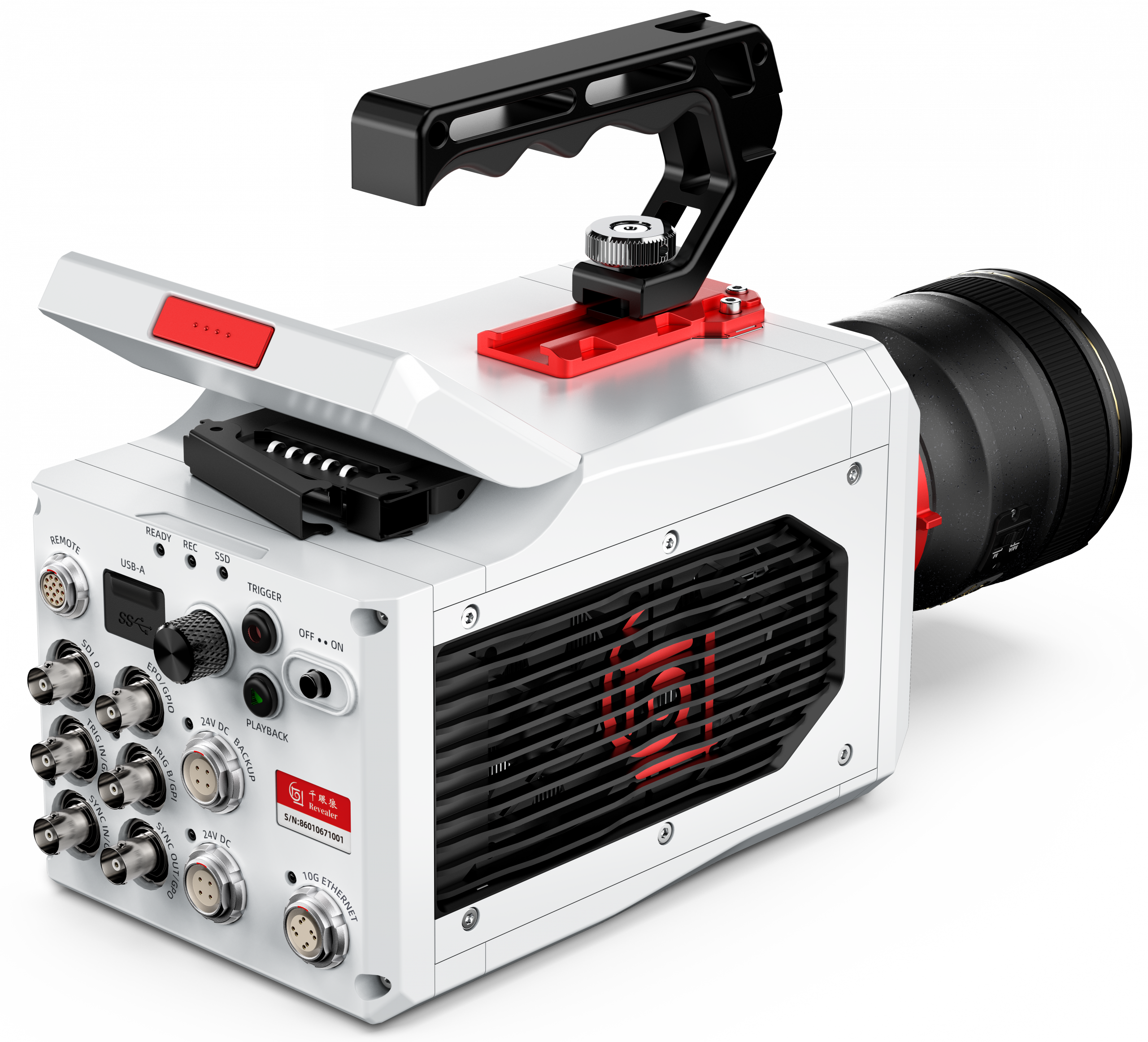
- Data transfer interface: 10 Gigabit Ethernet, backward compatible with Gigabit Ethernet
- Video output interface: 3G-SDI, HDMI
- Sync and timing: 3.3/5 V TTL sync input, 5 V TTL sync output, pulse trigger input and IRIG-B timing input
- Advanced I/O configuration: expands hardware interface functionality
- Lens mount: standard EF mount, supports F and C mounts
- USB port: supports an external Wi-Fi module for wireless camera control from mobile devices
HyperStor Storage: Record, Export and Start the Next Run
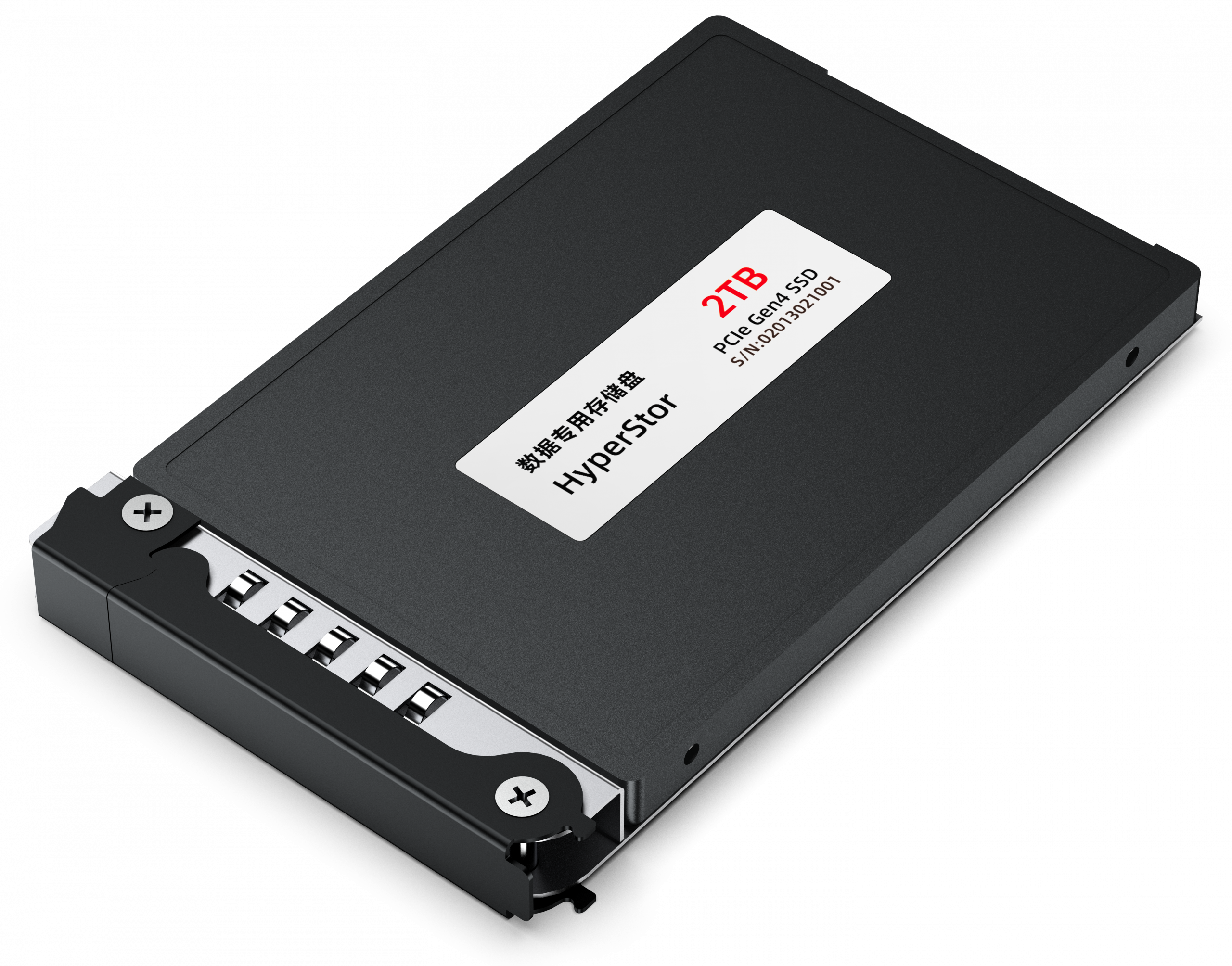
- HyperStor data storage drive: hot-swap functionality, flash storage chips and secure data backup
- Simultaneous recording and exporting enables real-time transfer of camera data, maximizing storage efficiency
- Capture and download without interruption: experiments conclude as the download finishes, eliminating wait times
NEO Series Specifications
| Model | NEO 25 | NEO 20 | NEO 16 |
|---|---|---|---|
| Frame rate, 1280 × 1024 | 25,000 fps | 20,000 fps | 16,000 fps |
| Frame interval, full frame | 40.0 µs | 50.0 µs | 62.5 µs |
| Max rate, 1280 × 16 ROI | 1,000,000 fps | 800,000 fps | 600,000 fps |
| Record time, full frame (160 GB) | 3.15 s | 4.19 s | 5.49 s |
- Sensor
- BSI CMOS, global shutter; monochrome or color versions
- Resolution
- 1280 × 1024
- Pixel size
- 20 × 20 µm
- Peak quantum efficiency
- 85% (manufacturer-stated)
- Spectral response
- 200 to 1100 nm (manufacturer-stated)
- Minimum exposure
- 150 ns
- PIV straddle time
- 250 ns
- ADC
- 10-bit
- Exposure modes
- Auto exposure (AE), extended dynamic range (EDR)
- High-speed RAM
- 160 GB or 320 GB
- Storage
- HyperStor hot-swap flash drive
- Shutter
- Built-in mechanical shutter
- Data interface
- 10 Gb Ethernet, Gb Ethernet compatible
- Video output
- 3G-SDI, HDMI
- Sync and trigger
- 3.3/5 V TTL sync in, 5 V TTL sync out, pulse trigger input, 1 custom output
- Timing
- IRIG-B (DC) input
- Control
- RS422 (reserved); USB for an optional Wi-Fi module
- Lens mount
- EF standard; F and C optional
- Power
- 24 VDC (18 to 28 VDC, dual power inputs), 200 W max
- Size
- 125 × 125 × 210 mm max
- Weight
- 4.5 kg max
- Mounting
- 1/4 in threaded holes on top, bottom and both sides
- Operating temperature
- −10 to 50 °C; −35 to 60 °C optional
- Operating humidity
- 0 to 95%
- Protection
- IP64, EMC
- Shock
- 30 Grms at 11 ms, 3 axes, 60 pulses
- Vibration
- Resistant to transport vibration
NEO Series FAQ
What frame rates do the NEO Series high-speed cameras reach?
At full 1280 × 1024 resolution the NEO 25 records at 25,000 fps, the NEO 20 at 20,000 fps and the NEO 16 at 16,000 fps. Reducing the region of interest to 1280 × 16 raises the maximum to 1,000,000 fps, 800,000 fps and 600,000 fps respectively.
How long can the NEO 25 record?
With 160 GB of high-speed RAM the manufacturer lists about 3.15 s at 25,000 fps full frame (roughly 78,750 frames) and about 5.71 s at 1,000,000 fps at 1280 × 16. The 320 GB RAM option extends the recording window.
What is the minimum exposure time, and what limits the maximum?
The minimum exposure is 150 ns with a global shutter. Exposure cannot exceed the frame interval, so at 25,000 fps the longest exposure is 40 µs and at 1,000,000 fps it is 1 µs. Usable signal at short exposures depends on lens aperture and illumination.
Can the NEO Series be used for particle image velocimetry (PIV)?
Yes. The cameras support double-frame PIV with a 250 ns straddle time, and provide 3.3/5 V TTL sync input, 5 V TTL sync output and a pulse trigger input for laser and timing synchronization.
Why does a back-side illuminated (BSI) sensor matter at high frame rates?
Short exposures collect few photons. A BSI CMOS sensor places its wiring behind the photodiodes so more incoming light reaches each pixel. The NEO Series combines this with 20 × 20 µm pixels and a manufacturer-stated 85% peak quantum efficiency.
Which lenses fit the NEO Series?
The standard mount is Canon EF, with Nikon F and C mounts supported as options.
Is the NEO Series suitable for field and test-range work?
Yes. It has a fully sealed circuit design, an aviation aluminum body, IP64 protection, shock resistance of 30 Grms at 11 ms on 3 axes, EMC protection and an operating range of -10 to 50 °C, with -35 to 60 °C available as an option.
How is data transferred off the camera?
Over 10 Gigabit Ethernet, backward compatible with Gigabit Ethernet, with 3G-SDI and HDMI for live video. The hot-swap HyperStor drive supports simultaneous recording and exporting so the next run can start without waiting for a download.
Choose the right NEO model for your event
Axiom Optics can help you match frame rate, region of interest, memory and lensing to your experiment, and arrange a quote or demo.
Make Limited Photons Count
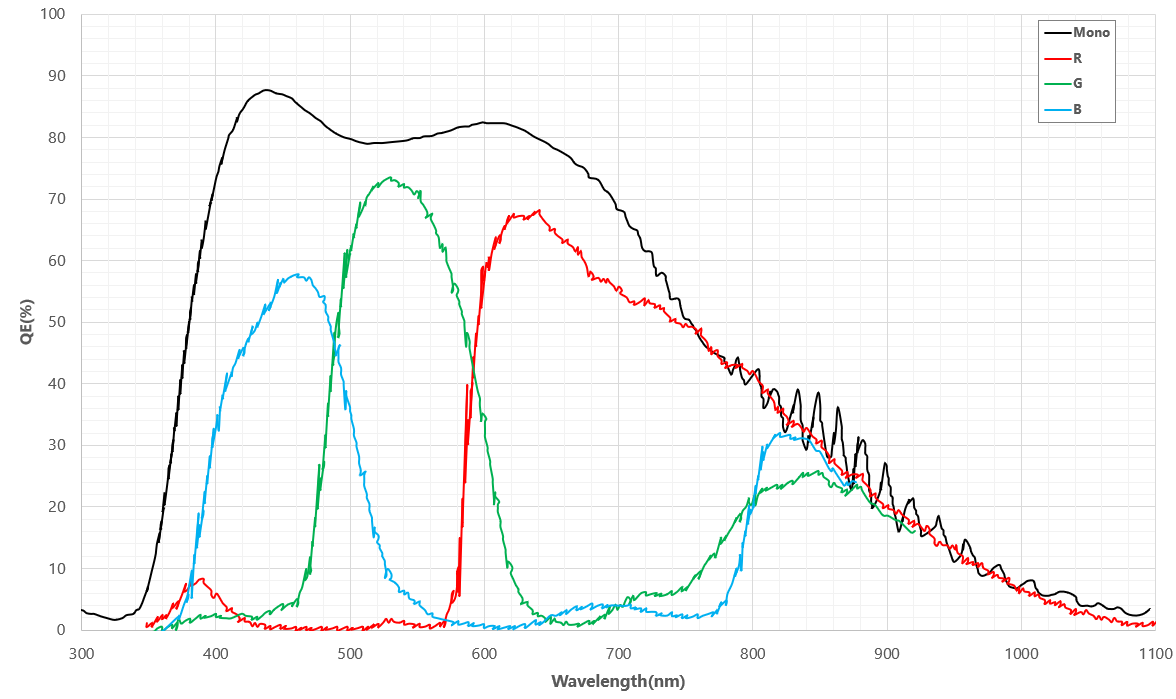
Back illumination improves access to the sensor’s light-sensitive region. High peak QE and large pixels support short-exposure work, while actual signal quality still depends on wavelength and the complete optical path. For UV or near-infrared experiments, select lenses, windows, and filters for the intended band rather than treating peak QE as uniform across the spectrum.
Software: Equipped with the Revealer RCC4.0 Acquisition System for Enhanced Imaging, Processing, and Display
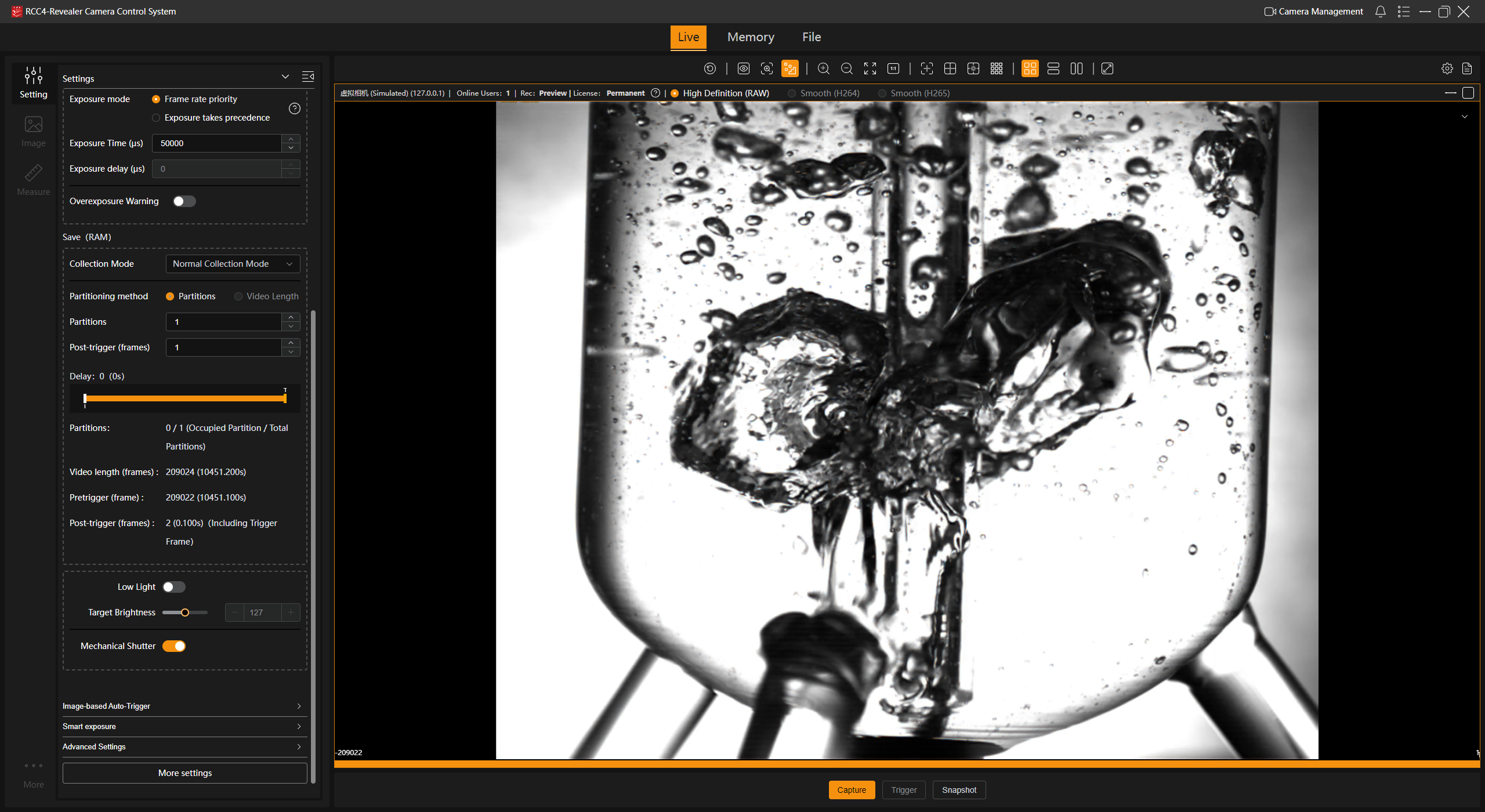
Each Revealer High-Speed camera comes with the Revealer RCC4.0 acquisition suite for imaging, processing, display, and managing storage. Its modular design enables seamless connection, data acquisition, and export operations throughout the entire workflow. It was designed as a multi-device suite, allowing multi-threaded management: shooting, downloading and analysis operate independently without interference. It supports secondary processing of local data, serving not only as data acquisition and control software, but also as a video player. Supports data analysis, point, line, and area measurements.
- Keyframe Detection: Using image change-detection, Keyframe Detection scans ultra-high-speed recordings and marks the segments most likely to contain the moment you care about.
- Variable Frame Rate Recording: With options for an Instantaneous or Gradual frame rate change, it allows to capture efficiently transient events, or continuous processes with slow transitions.
- Dual-Exposure Mode: Switches exposure time during capture so both a very bright and very dark region stay readable.
- Scheduled & Line-Crossing Triggers: Auto-fire at a preset time and count, or fire when a target crosses a preset line to catch a relevant event.
- Multi-Camera Synchronized Capture: All cameras capture on the same frame, driven by camera time-synchronization. Essential for 3D reconstruction and multi-angle analysis.